 BibleSow
 A BibleSow app
Bible Reading Journey
Read the whole Bible by a date you choose, in whatever order you like. The app tracks your progress; you choose what to read.
A tracker, not a reading plan
Many Bible apps tell you what to read each day. Bible Reading Journey doesn't. Read from your own Bible, or wherever you like to read, and use the app to keep track.
Pick your finish date
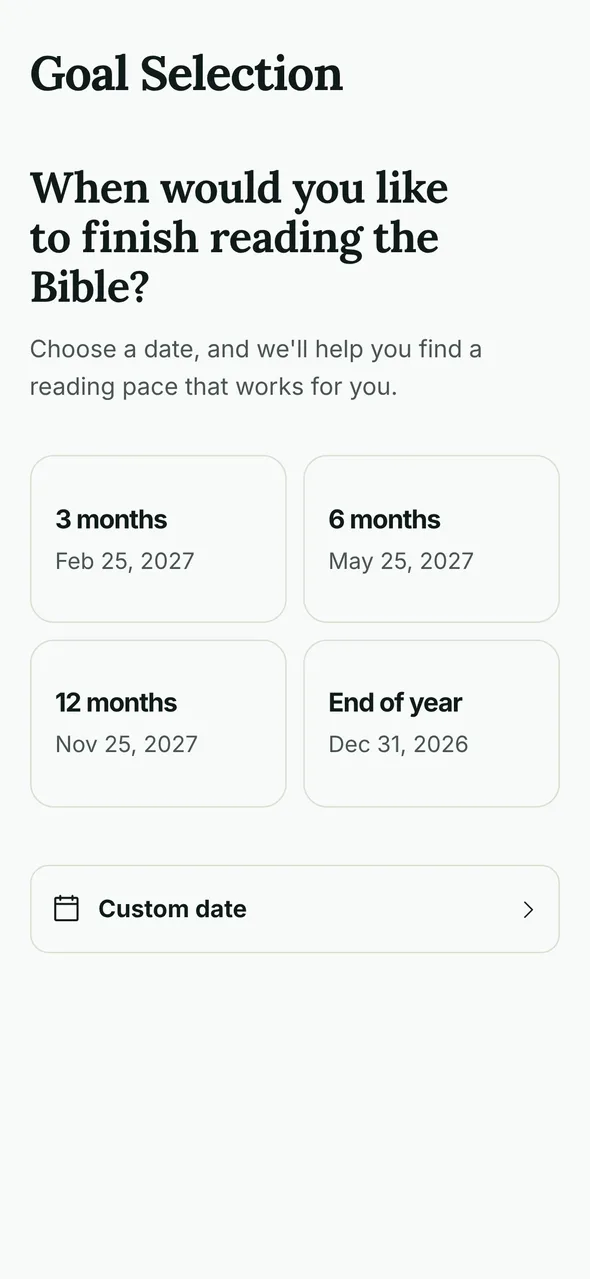
Choose 3 months, 6 months, 12 months, the end of the year, or any date you like.
Read anywhere
Read any book and chapter, in any order, from a printed Bible or your favorite Bible source.
Tap to mark it read
One tap marks a chapter read. Tap again to undo it. Your progress updates right away.
Stay on pace
Your daily goal adjusts to what you have left and the days remaining. If you miss a day, the app quietly recalculates. You won't fall behind or get a guilt message.
Simple, calm and encouraging
Everything you need to finish the whole Bible
All 66 books
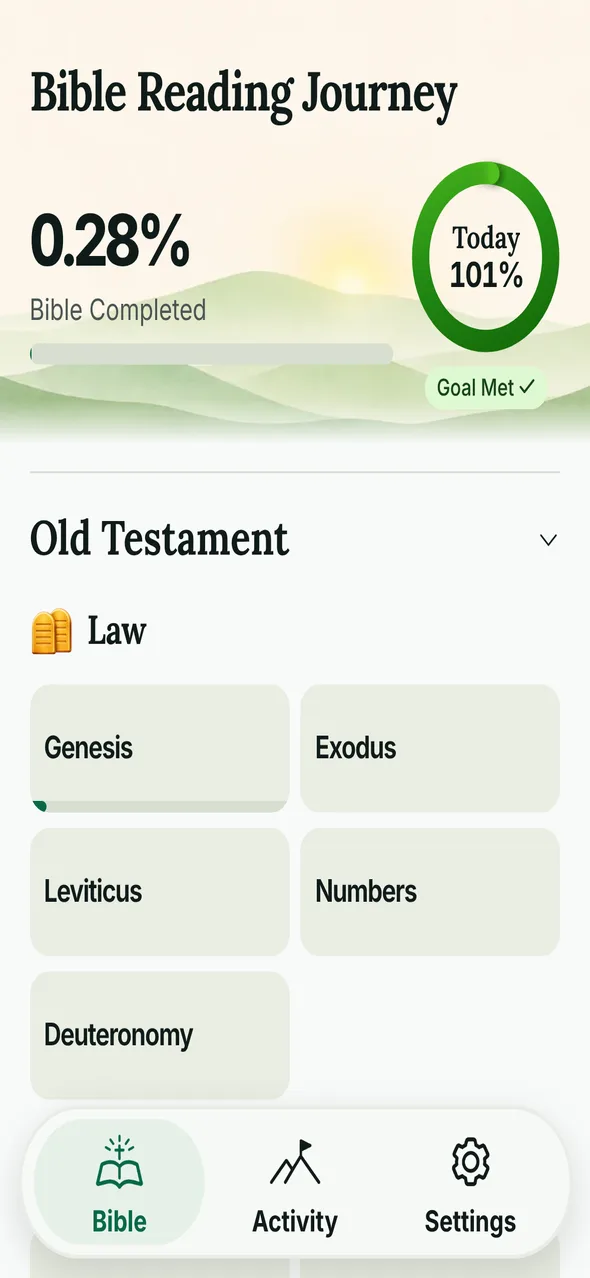
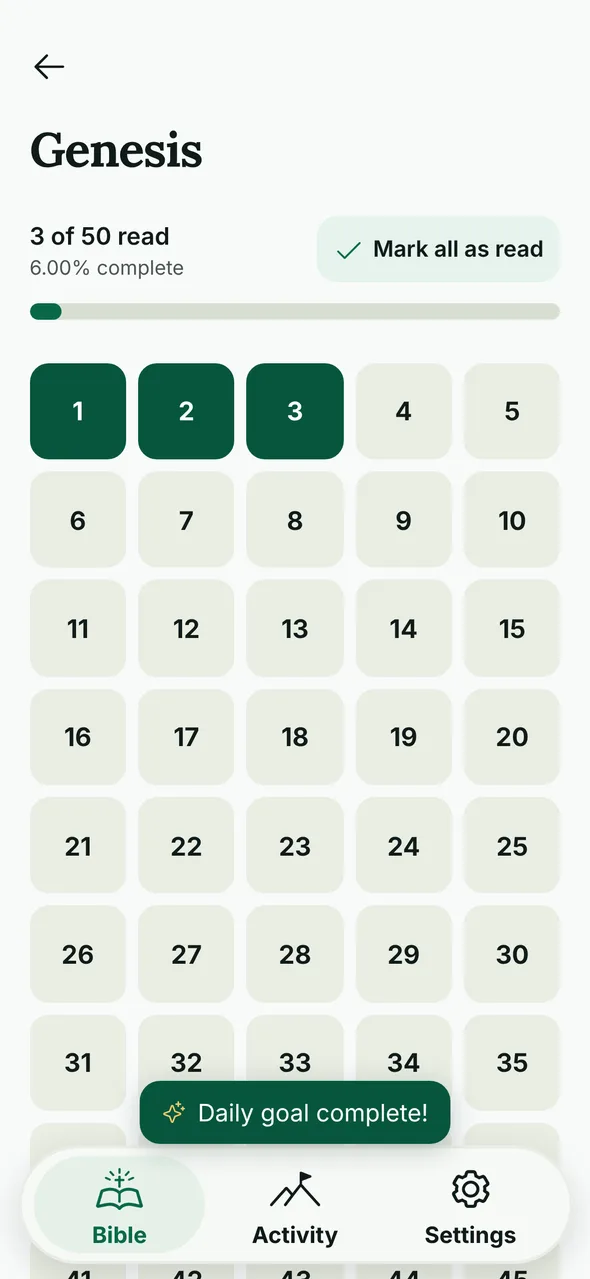
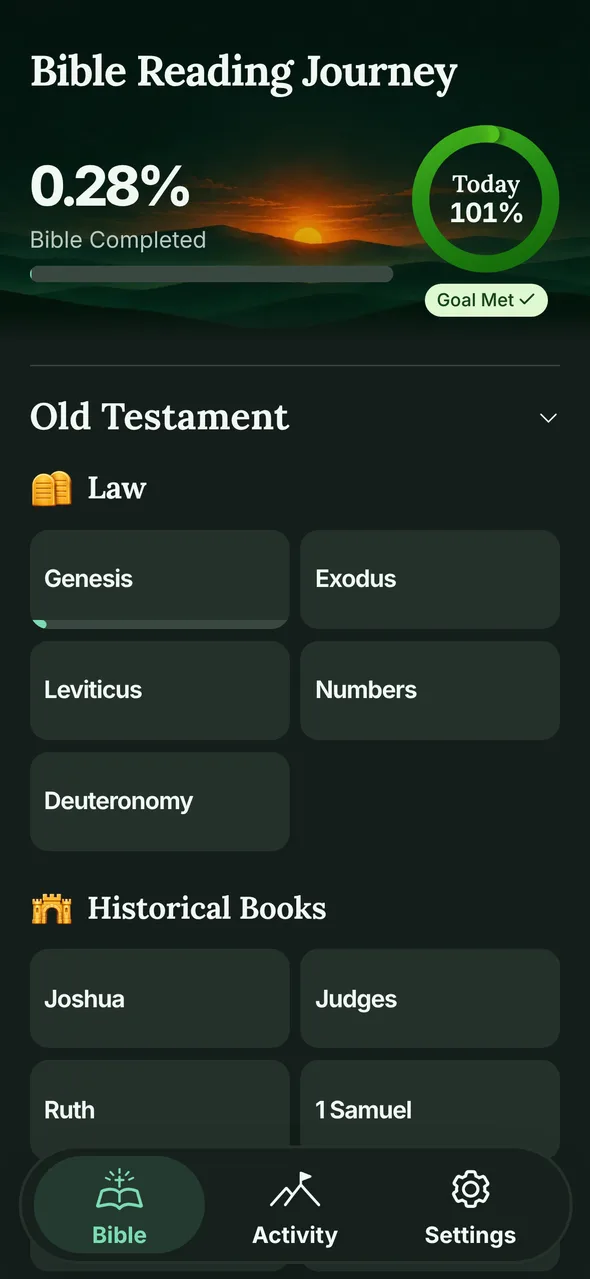
Books are grouped by category, from the Law to Prophecy. Mark single chapters, or mark a whole book read with one tap.
Daily goal ring
See how much to read today and how much time is left. Small celebrations mark when you reach 100%, 150%, 200% and beyond.
Fair progress
Progress is weighted by how long each chapter takes to read, so a long chapter counts for more than a short one.
Reading activity
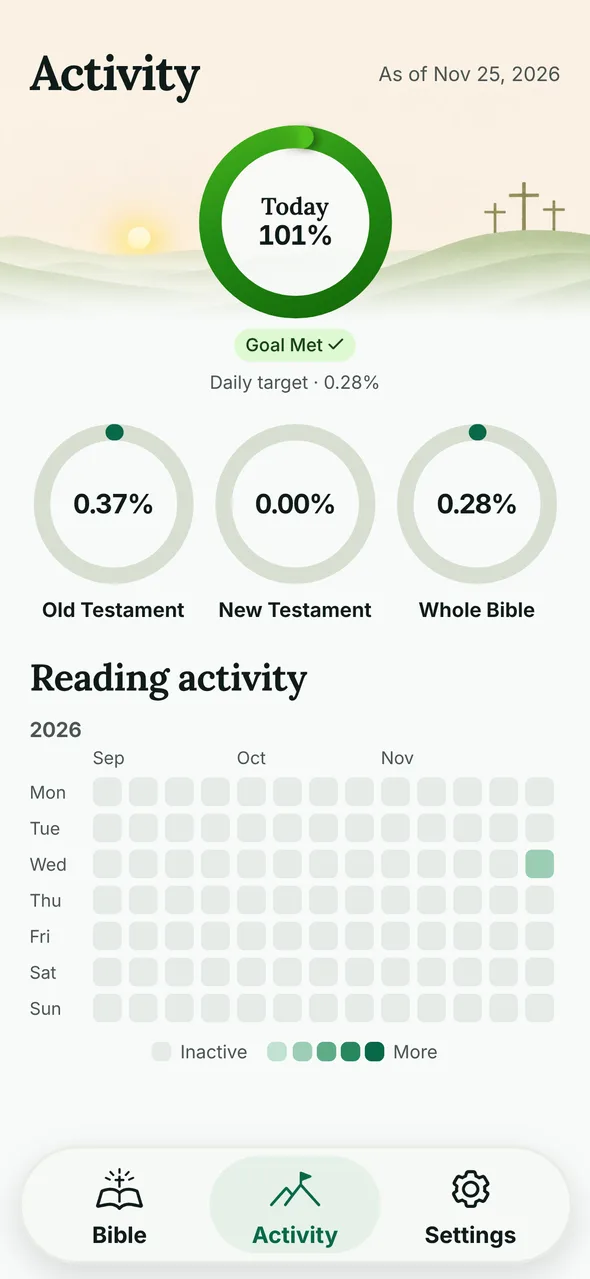
See your reading days on a calendar heatmap, along with Old Testament, New Testament and Whole Bible progress rings.
Completed journeys
When you finish the Bible, you get a celebration and a recap of your journey. Every finished journey is saved, and you can start the next one whenever you're ready.
Private and works offline
You don't need an account or an internet connection. Your reading progress is stored only on your device.
Start your journey today
Bible Reading Journey is available for iPhone.
Help & frequently asked questions
Have a question about Bible Reading Journey? Find answers below, or reach out. We're happy to help.
How do I get started?
The first time you open the app, choose when you'd like to finish reading the Bible: 3 months, 6 months, 12 months, the end of the year, or a custom date. Your choice saves right away, and the app takes you to the Bible screen.
How do I mark a chapter as read?
On the Bible tab, tap a book, then tap a chapter number. It turns green and your progress updates. To finish a whole book at once, tap Mark all as read at the top of the chapter screen.
I marked the wrong chapter. How do I fix it?
Just tap the chapter again to mark it unread. If you marked a whole book by mistake, tap Mark all as unread. Then mark the chapters you actually read.
Does the app tell me what to read each day?
No. Bible Reading Journey is a tracker, not a reading plan. You decide what to read and in what order. The app shows how much reading you need each day to finish by your chosen date.
How is my daily goal calculated?
Your daily goal is the share of the Bible left to read, spread evenly over the days left before your finish date. Chapters are weighted by how long they take to read, based on the narration time of a complete audio Bible, so a long chapter counts for more than a short one. Your goal for the day stays the same until midnight, then updates based on what you've read.
I missed a day. What happens?
Nothing bad. Missed reading isn't counted against you. The app quietly spreads what you have left over the remaining days, and your progress is never lost.
How do I change my finish date?
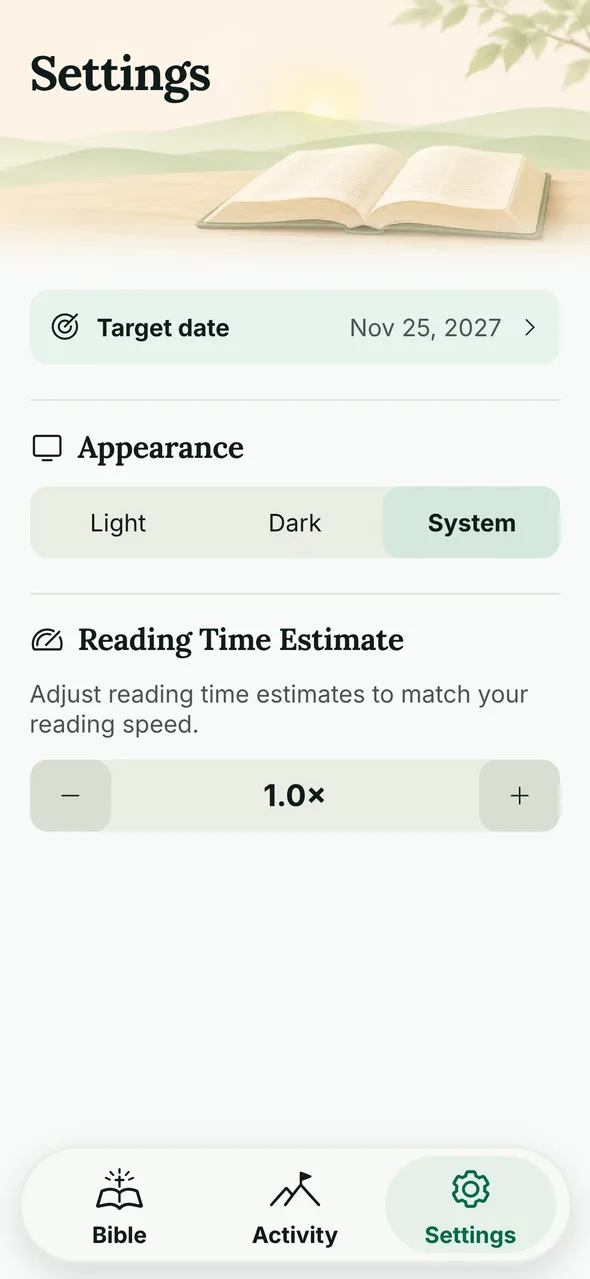
Go to the Settings tab and tap Target date. Pick a new date and it applies immediately. Your progress is kept.
What happens if my finish date passes before I'm done?
All your progress is kept. The app asks you to choose a new finish date, and you continue from where you left off.
What does the reading time estimate mean, and how do I adjust it?
The estimate shows about how much time you have left to reach today's goal. It's based on how long a narrator takes to read each chapter aloud. If you read faster or slower than that, change the reading speed in Settings → Reading Time Estimate. Each tap changes it by 0.1×. This only changes the time estimate, not your goal.
What happens when I finish the whole Bible?
You'll see a celebration and a recap of your journey, including your start and finish dates, reading days, and milestones. If you marked the final chapter by mistake, tap Undo last change on the same day. When you're ready, choose a new goal to start a fresh journey at 0%. Your completed journey stays in the Activity tab.
Can I use dark mode?
Yes. In Settings → Appearance, choose Light, Dark, or System to match your device.
Does the app include the Bible text or audio?
No. Bible Reading Journey doesn't include Bible text, audio, or translations. Read from a printed Bible or any Bible app or website you like, and use Bible Reading Journey to track your progress.
Does it send reminders or notifications?
Not at this time. The app never asks for notification permission.
Do I need an account or internet connection?
No. There are no accounts, and the app works fully offline.
Is my progress backed up? Can I move it to a new phone?
Your progress is stored only on your device. The app doesn't have cloud backup or sync yet, so deleting the app may permanently erase your progress, and it won't automatically move to a new phone. Cloud backup may be added in a future update.
Can I reset all my progress?
The app doesn't have a reset button. To change your progress, mark individual chapters or whole books as unread.
Which Bible books are included?
The app tracks the 66 books of the Protestant canon, Genesis through Revelation: 1,189 chapters in all.
How can I suggest a feature or report a bug?
We'd love to hear from you! Email us at the address below. If you're reporting a problem, please include your device model, iOS version, and the steps that led to the problem.
Contact support
Still need help? Send us an email and we'll get back to you as soon as we can, usually within 1–2 business days.